Banner
Showing posts with label PowerPoint to DVD. Show all posts

Friday, April 22, 2011

Up to 56% Discount to Celebrate Easter 2011 from Moyea Software

It’s never been such a good chance to buy a professional PPT converter or PPT burner. For now, to celebrate this weekend’s happy Easter Day, Moyea Software has officially announced an offer of up to 56% discount for its PPT series. This activity is held from April 23rd to April 25th. During this period, everyone has the access to get the discount if he fills in the coupon code.

About the Activity

Customers will get a $20 discount for these products: PPT to DVD Burner Pro, PPT to DVD Burner Lite, PPT to DVD Burner Edu, PPT to Video Converter Edu, PPT4Web Converter. For PPT to Video Converter Edu, the discount is 56%, which is the highest of all. The only one exception is $10 discount for PPT to Video Converter. During the activity period, there will be a “Coupon Code” blank on the purchase webpage after clicking “like” on the activity page, then fill in the coupon code (MOYEA424) and the price will reduce automatically by the discount.


Brief Introduction of the products

PPT to DVD Burners: All inclusive tools to burn PowerPoint files to Blu-ray discs and DVD discs for viewing on TV using Blu-ray/DVD players.

PPT to Video Converters: Easy-to-use smart tools to convert PowerPoint files to any popular video and audio formats, like AVI, WMV, MPEG, MP4, MP3, AAC, etc., with all the original PowerPoint elements being perfectly preserved.

PPT4Web Converter: An initiative program that converts PowerPoint files to flash video (FLV, MP4, MOV, 3GP, 3G2), binging easy access to websites like YouTube, MySpace, and even personal blogs and podcasts.

Availability and Links

Moyea Software offers both free trial version which can be downloaded and used via the product download link and registered version with prior technical support.

Company link: http://www.dvd-ppt-slideshow.com/

Activity link: http://www.dvd-ppt-slideshow.com/purchase/

Contact

Steven

CEO of Moyea Software Co., Ltd.

Email: contact@dvd-ppt-slideshow.com

About Moyea Software

An award-winning and professional multimedia software provider, owning a professional development team who are always in pursuit of product excellence and providing a wide range of products as multimedia solutions for business and education as well as for daily life. Products include PPT to DVD Burner series, PPT to Video Converter series, PPT to PDF Converter and PPT to SWF Converter series.

Friday, December 31, 2010

World's First PowerPoint to Blu-ray Converter Was Released by Moyea

As the release of the Moyea PPT to DVD Burner Pro V4.1, Moyea PPT to DVD Burner Edu V2.0 and Moyea PPT to DVD Burner Lite V2.0, Microsoft Office PowerPoint documents have one more but fantastic conversion destination – Blu-ray Disc.

As the increasing popularity of Blu-ray Disc, Moyeasoft makes lots of efforts on innovation and builds a bridge linking Blu-ray Disc and Microsoft Office PowerPoint program which is already widely used in lecture, education, training, business and etc.

Although many people have begun to plan how to spend the coming Christmas and New Year festival, Moyea’s technology developers devote themselves to the research and innovation of Moyea PPT to DVD Burner Series. The conversion from PowerPoint documents to Blu-ray Discs is one of their latest achievements.

There are three flagship products of Moyea (PPT to DVD Burner Pro V4.1, PPT to DVD Burner Edu V2.0 and PPT to DVD Burner Lite V2.0) embracing the aforementioned new feature, which will allow all the users:

  • 1. Choose appropriate TV standards specified in certain countries and regions.
  • 2. Choose an aspect ratio for the created Blu-ray Disc.
  • 3. Design Blu-ray menu and set background style.
  • 4. Add and edit music for the output Blu-ray Disc.
  • 5. Add logo or watermark on the Blu-ray Disc.
  • 6. Do many other self-defined settings.

In addition, the “Create Standard” and “Convert to Video File” features are also kept in the new versions of those products. The new three-in-one PowerPoint Converter presumably provides more outstanding and comprehensive service for all the users.

The year 2011 will be coming, and Moyeasoft will keep the good work and takes the lead to provide more user-friendly and first-rate service for its large scale end users.

For the latest information about Moyea PPT to DVD Burner Series, please follow the team on Twitter, @Moyea_Software (http://twitter.com/Moyea_Software), Facebook (http://www.facebook.com/Moyea), or the home page (http://www.dvd-ppt-slideshow.com/).

Another piece of good news is that the Moyea Christmas Special Offer is in progress. Everyone have the chance to get various lines of Moyea software at super low prices or totally for free.

About Moyea Software Co., Ltd.
Moyea Software, founded in Shenzhen P.R. China in 2006, has become one of the world’s most robust providers of multimedia conversion software, Internet-based downloaders and web players, which are ideal for business, education and entertainment application. For more information, please visit: http://www.dvd-ppt-slideshow.com/

Thursday, December 23, 2010

Your Christmas Gifts Could Also Be Out of the Ordinary

When we were children, we all dreamed that the mythical gift bringer Santa Claus dressed in red brought our long-cherished gifts on Christmas Eve. When we are grown-up, we know that there is no Santa Clause at all, but begin to play the part of the Santa Clause, so exchanging gifts turns to be a must-do thing.

Choosing Christmas gifts is a hard task to do! There are so many different gifts out there and it is always difficult to find the perfect one for each member of your family. In any case, make your Christmas gifts all by yourself is never out of date. For example, we can make some PowerPoint DVDs or videos to give our friends or family members. It is reported that Moyea PPT to DVD Burner Pro will be sold at a super-low price - $19.95 – on December 23 and 24, nearly saving $80.00 for you compared with its usual price.

First of all, let us share some common and popular Xmas present ideas, including but not limited to:

1. Preparing some gift baskets full of fruit are incredible gifts for families to share.

2. Collect some music that the family would be able to play together. Personalized songs are the best!

3. Purchase or weave hats, gloves, mittens and scarves for the entire family.

4. Make some homemade cookies or cakes that the family can share.

5. Daisies, roses, orchids - any type of flower at all would be fantastic for the holiday season.

6. The best way to a girl’s heart is through chocolate. Truffles, boxes, bins, tubs - any form will do!

7. Tickets to comedy show or movies are a great gift for anyone and it is something you both can do together!

8. Fill a movie gift basket with some DVDs the family can enjoy as well as popcorn and candy.

9. Last but not the least, memories are a precious thing; frames pictures make fantastic gifts for families. What’s more, you can also make a PowerPoint slideshow with those pictures. To be better, you can add your greetings, wishes, background music, video, animations, and transitions to your presentations.

If you plan to share it with other friends via Internet, you can convert the PPT files to video, or burn it to DVD and wrap it carefully before sending them to your friends and family far away. It is indeed a cool idea to make a PowerPoint DVD or video for your family and friends.

Now that you have a few tips and tricks for some Christmas gift ideas, why not go ahead and do something right away. Researching your gifts before purchasing them, for some Christmas online sales to save yourself some cash!

Best regards and Merry Christmas!

Tuesday, December 14, 2010

Put DVDs on iPad, iPhone, iPod for Free

Moyea Software will give away its DVD4Web Converter for a day this week (Dec. 12, 2010 - Dec. 18, 2010 Pacific Time). If you want to get it free, keep an eye on Moyea's Facebook, Twitter or their Christmas Special Offfer Page.

It's the 4th week of Moyea's Thanksgiving & Christmas Special Offer, each week one product will be given away or sold at lowest price for a day at http://www.moyeamedia.com/software-giveaway/ . In the past 3 weeks, they have given away SWF to iPhone Converter for free and sold PPT4Web Converter and SWF to MPEG Converter at only $9.95. In the 4th, Moyea will give away DVD4Web Converter, and in the 5th, PPT to DVD Burner Pro will be sold at only $19.95.


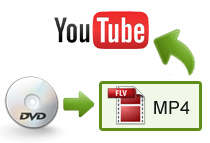
DVD4Web Converter is an easy-to-use tool that can convert DVD to flash video (*.FLV), *.MP4, *.MOV, *.3GP, *.3G2. With its help, you can easy convert your favorite moive DVDs to MP4 for sharing on your iPad, iPhone or iPod, of course, the output video can be also uploaded to video-sharing sites (like YouTube, Metacafe, Dailymotion, etc. ), SNS (as Facebook, Myspace, etc.), your blog or your website. By using it, you can conveniently take your film DVDs along with you or sharing them with your family or friends. It will only be given away for a day and you can save $29.95 if you get it. So, if you don't want to miss it, like Moyea's Facebook Fan Page or follow Moyea on Twitter.


In addition, as far as I know, Moyea will add PowerPoint to Buy-ray DVD to its featured product Moyea PPT to DVD Burner Pro soon, and this PowerPoint to DVD and PowerPoint to video Converter will be sold at only $19.95 next week. So, it's a great opportunity to get the fisrt PowerPoin to Blu-ray DVD converter at such a low price. Get it or not, it's your choice!

Have a good day!

Thursday, November 25, 2010

Moyea Starts Its Black Friday Deals by Giving Away SWF to iPhone Converter for FREE


Have a nice Thanksgiving Day, everyone!

It is really a good day for us to express our thanks to everything in the world.

Moyea Software, as a professional media converters software producer, also expresses thanks to all its customers by giving away SWF to iPhone Converter for free on Thanksgiving Day. If you want to convert your Flash (*.swf) files to video for playing on your iPhone, do not miss such a great opportunity! This Giveaway will only last 24 hours, so you should seize time if you want one! To participate in the giveaway, go to http://www.moyeamedia.com/software-giveaway.

SWF to iPhone Converter Giveaway is only a small part of Moyea’s Thanksgiving, Black Friday, Christmas & New Year Sales which last from Nov. 21, 2010 to Jan. 8, 2011. Each week, a featured product will be given away or sold at lowest price (incredibly low price). So, if you don’t want to miss any giveaway or lowest price sale, like Moyeasoft on Facebook or follow Moyea_Software on Twitter!

In addition, almost all products (including PowerPoint to video converters, PowerPoint to DVD converters and SWF to video converters, etc.) of Moyea Software will be given up to 50% discounts in this period.

What’s more, free Thanksgiving PowerPoint templates and Christmas PowerPoint templates are also available for free.

If you have not prepared your Thanksgiving gift for your friends or family, why not catch this opportunity?

Actually, you can also make your own video easily from PowerPoint presentation with Moyea PPT to video converter and upload it to YouTube, I’m sure your Thanksgiving greetings will be unique and impressive.

Again, Happy Thanksgiving!

Friday, October 29, 2010

Get Flash to Video Converter for Free!


For its Facebook Fans, Moyea Software has started its Halloween Special Offer:
From now to Nov. 30, you can download Halloween Flash and PowerPoint templates for free by being its Moyeasoft Facebook Page fans.
On Oct. 31 & Nov. 1 (Paciffic Time), you can win Moyea SWF to Video Converter Std's registration code for free and buy Moyea's competitive products with large discounts:
ProductPPT to Video ConverterPPT to DVD Burner ProSWF to Video Converter Pro
Original Price$49.95$99.95$99.95
Halloween Pirce$14.95$49.95$49.95
Learn MorePowerPoint to VideoPowerPoint to DVDFlash to Video
Free TrialPPT to Video PPT to DVDSWF to Video
Get It NowGet It NowGet It NowGet It Now

What you need to do is just to like MoyeaSoft Facebook Fan Page.
You can find more details about the giveaway and promotion on Moyea's Software Giveaway Page.

Have a good Halloween!

Monday, February 22, 2010

Moyea Releases PPT to DVD Burner Pro 3.6 with More Organized DVD Menu

Shenzhen, P.R. China – February 7, 2009 -- Moyea Software (http://www.dvd-ppt-slideshow.com), a rising developer and distributor of multimedia converters, media players, accelerators with respect to PowerPoint, DVD, Video, Flash, and PDF, issued today the availability of PPT to DVD Burner Pro 3.6 offering users a more organized DVD menu for DVD players, new DVD support for UDF file system, and fresh memory retrieve for DVD playback modes, 20 more DVD menu templates, and etc.

Moyea PPT to DVD Burner Pro converts a PowerPoint presentation to DVD or video without loss of original animations, sounds, transitions, movie clips and hyperlinks, making it easy for users who want to show their PPT content on TV with a DVD player, or publish on websites like YouTube, MySpace, Hulu, and more video/DVD platforms and devices.

In addition to precise PowerPoint to DVD and video conversion, Moyea PPT to DVD Burner Pro 3.6 has new editing and burning features including:

1. 1. New support for UDF, an optical DVD disc authoring standard that allows users to burn PowerPoint files bigger than 4 GB to DVD.

2. 2. Finer DVD menu system that is divided by 6 categories, i.e. Business (6 themes), Education (6 themes), Holiday (7 themes), Nature (6 themes), Standard (6 themes), and Others (6 themes).

3. Additional memories function to record last-modified playback modes, menu templates, and etc, on the program. Kind for users’ next conversion task.

4. Support PowerPoint 2010

5. A Logo feature that allows users to watermark their PowerPoint DVD with a trademark or an avatar for protection.

6. Sound insertion and narration recording

7. Batch processing of up to 12 PowerPoint files per conversion

Pricing and Availability
Moyea PPT to DVD Burner Pro 3.6 requires Windows 7/XP/2000/NT/Vista. The Unit Price $99.95 (US) per license. During the Valentine’s Day Sales, users who buy the program can get an extra Moyea PPT to PDF Converter ($24.95 per license) for free. For details about the promotion, refer to the following page:
http://www.dvd-ppt-slideshow.com/promotion/valentine.html

For details on Moyea PPT to DVD Burner Pro, please see in the product page http://www.dvd-ppt-slideshow.com/ppt_to_dvd/

Links

Product link: http://www.dvd-ppt-slideshow.com/ppt_to_dvd/

Download link: http://www.moyeamedia.com/download/ppt2dvd/ppt2dvd_setup.exe

E-mail: support@dvd-ppt-slideshow.com

Wednesday, February 10, 2010

Ideas to Make This Valentine's Day Memorable for Girlfriend with Low Budget

Valentine comes nearer and nearer, you should learn some ideas to make this Valentine's Day memorable and romantic for a woman. Even when adhering to a budget, the day can still be special!

Men are in need of some sympathy. Every year, they must raise the bar higher and make Valentine's Day bigger and better than the previous year. How is this possible for a man who does not have a lot of money to spend?

Simple Present Ideas for Women, Sweet Cheap Gifts for Girlfriend

Sometimes the simplest present is the best way to say, "I love you." The extravagant is great too, but often the little things are what count in a woman's eyes. For example, just acknowledging the day itself and making it her day all day is a start. Men should remember Valentine's Day is mostly for women.

Here are some romantic and cheap ways to celebrate and spoil a sweetheart all day long:

  • Buy or make pancake batter. It should not cost over $5 for a whole box of pre-made batter. Then buy heart-shaped cookie cutters. From Chef Central, one cutter costs a mere 69 cents. On Valentine's Day morning, make a breakfast complete with heart-shaped pancakes. She'll love the thoughtful touch!

  • Also for breakfast, buy a carton of orange juice (no pulp) and a bottle of affordable champagne. Mix both together and voila! A mimosa for a sweetheart.
  • Buy flowers. Yes, boys, flowers are the way to a woman's heart. However, a man doesn't have to spend a fortune on long-stemmed roses. Instead, opt for a single long-stemmed rose and put it across her empty breakfast plate or in a small vase next to the place setting.

  • Buying chocolate can be difficult. Some women are on a diet, others will eat to nauseum and then blame the man for bringing it in the house in the first place. The safest bet is to buy a sampler box of four chocolates that she can enjoy throughout the day and return to normal eating habits the next.

What Are the Best Gifts for Valentines? Unique Gifts for Girlfriends or Wives

So the breakfast was perfection and she's now basking in the afterglow. But what does a man do for the rest of the day and how does he incorporate the big, grand finale present?

Plan a simple, fun and cheap activity. This activity is the big present, so put thought into it. Since in most places in February it's cold, an indoor activity may be the best choice. For example, take the woman to a special showing of a romantic movie.Often times at independent movie houses, they show romantic classics on Valentine's Day. Buy tickets in advance though because many other men may have this idea too! Two tickets, plus popcorn and drinks will cost around $30. If you know how to make a slideshow, you can make one on your love stories adding the videos,photos,vocices recorded of happy moments and unforgettable memories or with your words from your heart to her.Burn the slideshow onto DVD with Leawo PowerPoint to DVD Pro, and watch the DVD slideshow on TV with her, she will surely be moved. For a sportier girlfriend, take her ice skating or find an indoor rock climbing wall.

For those in warmer climates, pack a picnic lunch and take a special hike - maybe one the couple has been wanting to do all year long. If the man executes the hike, he looks like he's thoughtful and a great listener.

When a man chooses to spoil his Valentine, he doesn't have to be a millionaire to make the day special. Plan ahead and keep with simple and budget-conscious ideas. As long as the woman feels spoiled and special then the day will be a success!

Tuesday, February 9, 2010

Valentine's Day Cards DIY Guide

Love is in the air! And that means Valentine's Day is right around the corner. What better way to show someone you care then to make them a valentine that comes from the heart? There is no limit to the styles, designs and materials you can use to make your cards. Need a little inspiration? Here are 7 cute designs to let your love shine:


Be Mine Valentine: This beautiful card uses beads for added dimension. It's more time consuming and messy than some of the others, but it's also fun to make and it is a good way to use up all of those stray beads from the bottom of the craft box.


Stained Glass Hearts: These stained glass hearts are actually incredibly easy to make. And they look awesome decorating a card for your favorite sweetheart. You can make just one or make a whole bunch to decorate cards or hang in a frame for your valentine.

Cupid Heart: I'm usually not very fond of foam craft projects because the foam itself is not very green and because the crafts rarely come out looking right. But this homemade Valentine's Day card is the exception. It uses two foam hearts glued together with a feathered stick threaded in between. I have to admit that it really comes out looking cool. So if you happen to have some of these foam hearts in your craft box (recycled card stock would also work) you can whip up a valentine that Cupid would be proud of.

Love You: Looking for an elegant way to profess your love? This handmade valentine is simple, green and fun to make.


Give A Hoot: This Valentine is a "wise" choice for the classroom. Kids can make one for each of their friends and include a fun pencil that their classmates will love.


Love Bug: You'll need quite a few supplies (felt, embroidery thread, cardstock, and an unfinished wooden angel shape, among other items) to put this lady-love-bug together, but the results are well worth it. You probably wouldn't want to make one for every kid in the classroom, but it makes a perfect card for the teacher ... or even for mom and dad! 

PowerPoint E-cards: It is easy for you to add the videos,photos,voices that witness the love between you and your Valentine with the PowerPoint app. and you can also add any words you want to say to him/her on the slides. It must be a good Valentine's Day gift for treasuring up if you burn the slideshow onto DVD with Leawo PowerPoint to DVD Pro.You can even convert the PowerPoint to Video to share with others on Youtube, Hulu, Metacafe or iPod,iPhone,iPad.

Express Your Love with Hi-tech Gifts This Valentine's Day

Here are the best high-tech ways to show your sweetheart just how much you love them.

Chocolates and roses, champagne and diamonds—what will you get for your beloved this Valentine’s Day? We’d like to suggest—if we may—a more thoughtful approach to this cherubic celebration. Although jewelry and chocolates are classic tokens of affection, we think thoughtful and creative Valentine’s Day gifts are far more memorable and meaningful. If you’re in a modern day romance and want to tell your darling just how much you love them, take a gander at these high-tech tips to will tickle and delight your mate this February 14th. So, let your heart do the texting and the Web do the wooing, and show your sweetie just how much you love them.

57301835

Quickie Text. One of our daily habits can truly be put to use this Valentine’s Day. Texting is one of the quickest ways to communicate with someone—and you can only use a limited amount of characters, making your message concise and meaningful. Don’t underestimate the power of the text message, lovebirds, and use this technique wisely. Send your sweetie a quick and to-the-point message telling them how much you love them and appreciate them, or any sweet compliment you think they deserve. Text your sweetie how much you loved waking up next to them this morning. Text to let them know you’re thinking about them and that you can’t wait to see them again. Texting can be romantic; you just need to find the right words.

ipod-nano-red

Make a Playlist. The mixed tape is long gone—we’ve stepped into a new era of music compilations. Steal away your guy or gal’s iPod or MP3 player and make a playlist of songs for them. Title the playlist, alluding to what the songs should mean to them—and the best part—don’t tell them you did it. Nothing’s more romantic than the classic combination of music and the element of surprise.

Romantic Readers. Have a honey that’s a bookworm? Every avid reader should have an e-reader, allowing them to have more than one literary lure with them at all times. If you’re looking to purchase an e-reader for your loved one, don’t just buy it—take it a step further and personalize it for them—preload a couple of their favorite books and ‘hopeful reads’ onto the device before giving it to them. Small things like that really make all the difference. If there’s a book you know they’ve been dying to read, buy and download it onto their new device.

Keyboard (closeup), red key with heart

Send a Love e-Letter. Love letters have been courting and connecting people for centuries, and while putting your feelings into words will never go out of style—the medium in which you choose may just change a little. Write your beloved an email telling them everything you love and feel about them—it’s our generation’s modern love letter. The nice thing about email is that your words can reach the person you love almost instantly, and won’t get lost at the post office.

Take it a step further and set up a special email account for your partner and send them the password. Use this account only for your love e-letters—make a special place in cyberspace just for you and your mate.

Admiring Apps. We’ve entered the age of smartphone and, believe it or not, there are some romantic perks that can come out of having a smartphone. You can create your own Valentine via iPhone, and for free, with the Create a Valentine app. The app offers several different backgrounds and heart styles to choose from, and allows you to add your own message.

Another free app is the Sweethearts app, which allows you to customize your own popular sugary candy for your sweetie. You can send virtual Sweethearts candy boxes with custom messages to the ones you love and you can even make them appear on that person’s Twitter page.

Set the Date. Set up a calendar on your Google account, or just make one via Microsoft Office, that details the plans you’ve made for you and your partner. Plug into the calendar the things you planned to do for them or do together—like a picnic in the park, a weekend trip to the coast, or even something simple like breakfast in bed—and then send it in an email. It’s a nice surprise, especially for someone who’s been busy with work—it gives them something fun and romantic to look forward to amongst the daily trials of office life.

You could also make a calendar featuring photos of you and your partner. Snag some photos from Facebook and scan some framed pics from around the house. There are some great online programs to use such as SmartDraw, and if you need some help Kinko’s is always a great resource.

Sweet Love Story DVD Slideshow. Make a slideshow on the love story of you and your lover first: add the photos,videos and voices of happy moments or unforgettable memories; don't forget to add the words you want to say all the time to him/her.When you finish the slideshow, burn it onto DVD with Moyea PPT to DVD Burner so that it can be played on a DVD-play TV. It must be the best Valentine's Day gift to be treasured up or to be shared with others.

TiVo Together. TiVo, or record, your loved one’s favorite shows or a special event that you know they’d like to watch and make a date of it. Bust out the pillows, popcorn and pajamas, and have an at-home date. TiVo is good for a lot of things, even relationships.

computer-hearts

Clean up. There is nothing more tedious than cleaning a computer—especially the keyboard. One of the nicest things you could for your guy or gal this Valentine’s Day is to clean their tech. Cleaning technology, whether it’s your HDTV, laptop or even your car, is something that we all put off. You could also clean up their desktop and hard drive—make their computer a little speedier for them. Performing this task for someone you love is a priceless gift that really shows you care.

E-cards. Don’t go to Hallmark and the flower shop for your darling, look to the Internet instead. E-cards are endearing, customizable and just a click away. Send your loved ones an e-card everyday for the few days leading up to Valentine’s Day—making each day special. You could also use e-cards to drop some hints on what you have planned for them this V-Day. Customize the messages to provide some clues as to where you’ll be going, what you’re planning, and what they should be excited for.

Thursday, December 17, 2009

Fun Ideas for Christmas Party

Christmas comes nearer and nearer,are you hosting the family get together this Christmas or perhaps you are just having friends around? Are you worried that everyone will just sit around and it will be a really boring event? Well why not brighten it up with some Christmas party games. There are a whole host of options whether you are trying to entertain adults or children. Here are a few ideas to get your creative juices flowing.

Christmas Charades: For a twist on a favorite Christmas party game, use familiar Christmas events as the charade. Use events such as stuffing the turkey, decorating the tree, wrapping gifts etc. If you're going to have a party for children and need games suited to their age level, choose from among these fun games:

Mystery Stocking: Take a large stocking and put several Christmas related items suitable for a child inside. Make sure the top of the stocking is fastened securely. Pass the stocking around and let each child have a few minutes to feel it. Then have them write down what they think is inside (or tell you if they're too young). The child with the closest guess wins the stocking.

Word Formation: Have sheets of paper for each child. At the top of the paper, write the words 'Merry Christmas' or 'Happy Holidays.' The object is to write as many words as possible using only the letters at the top of the page. Give a five minute time limit.

Pin the Toys in the Sleigh: Tape a sleigh to the wall. Give each child a paper 'present'-something you might find in Santa's sleigh. Blindfold each participant on his or her turn and have them try and pin the present inside the sleigh. Closest one wins.

These are just a few examples so put on your thinking cap and see what else you can come up with and make sure that your Christmas party is not a dull affair, have fun!


Don't forget to take photos for this memorable and insteresting party, and then you can make a slidshow with these photos to share with others on Youtube,Metacafe,Myspace,Facebook or your blogs with the help of Leawo PowerPoint to Video.Also you can burn the funny Christmas party slideshow onto DVD using Moyea PPT to DVD Burner,and then send the copies to your family and friends who knows nothing about computer so that they can enjoy your happies by a TV set.


Now,begin to prepare for your Christmas party,you will surely have a specail and unique Christmas party this year!

Top 10 Christmas Movies in the Eyes of My Family

Because of bad weather and the time to stay indoors,my family loves to watch movies, and the time between Thanksgiving and Christmas is prime Christmas movie time.

In no particular order, here are my family’s favorite movies of the season. If I found a TV listing, I listed the day and channel, in case you’d like to watch. I didn’t list times, because I had a hard time finding which time zone the listings were for. Check your local listings for times.

My Family’s Favorite Christmas Movies

1. The Polar Express. Possibly my son’s favorite movie of all times. Based on the book by Chris Van Allsburg, The Polar Express recounts the adventure of a boy who travels to the North Pole on Christmas Eve by train. We own this one and watch it several times every year. Watch on ABC Family on December 23.

2. Elf. If The Polar Express is my son’s favorite holiday movie, Elf is my daughter’s. Will Ferrell plays a man, who was adopted by elves as a baby. Now grown up, he returns to the U.S. to find his father. We’re not Will Ferrell fans, most of the time, but he’s pretty good in this movie. Watch December 18 on USA.

3. The Nativity Story. The kids and I actually watched this one for the first time yesterday. It’s not a lighthearted movie, by any means, and there are some scenes that aren’t suitable for young children. It really makes you reflect on what Mary and Joseph must have gone through in the time leading up to Christ’s birth, though. It’s not completely Biblically accurate, but the relationship between Mary and Joseph is worth watching.

4. The Christmas Shoes. This one is for the sappy movie lovers out there. I cry every time I watch it. Based on a country music song, The Christmas Shoes tells the story of two families. Workaholic Robert Layton works so much, he misses out on his wonderful family. Meanwhile, in another family, mother Maggie Andrews is dying, and her son just wants to buy her a pair of red dancing shoes for Christmas, before she dies. The lives of the two families cross, and you are left with a real tear-jerker. Watch December 24 on Lifetime Movie Network.

5. Miracle on 34th Street. I love the remade version of the classic movie. Mara Wilson is perfect as the little girl, who doesn’t believe in Santa, and Elizabeth Perkins is great as her all-too-practical mother. On ABC Family December 23.

6. It’s a Wonderful Life. Is there anyone who hasn’t seen this classic? It’s the story of George Bailey, who has so many problems, he wants to end his life at Christmas time. An angel comes to earth to show him what life would have been like, had he never been born. You will most certainly find this one on network TV as Christmas approaches. On NBC December 24 at 8:00 p.m..

7. National Lampoon’s Christmas Vacation. What’s not to like about the Griswolds? OK, there’s a lot not to like, but they sure are funny! Watching a disaster-prone dad trying to put the perfect Christmas celebration together makes the little things that go wrong in my Christmas season look pretty minor. This movie is a great diversion.

8. The Santa Clause. Tim Allen plays a workaholic, who accidentally agrees to take over as Santa Claus. As he grows (in more ways than one) into his new role, his relationship with his son improves. But his ex-wife and her new husband have their concerns about Allen’s new role in life, and seek to protect son, Charlie, from dad’s influence.

9. Home Alone. I first saw this movie in the theater as a college student, and it’s been on my holiday favorite list ever since. Home Alone is the tale of 8 year old Kevin, who is accidentally left at home by his parents, when they travel to France for Christmas. While waiting for his parents to come home, Kevin must defend his home from would-be burglars. Macaulay Culkin is perfect in the role of Kevin.

10. A Christmas Story. Possibly my husband’s favorite flick. It’s the story of Ralphie, a boy who is on a mission to convince his parents to get him the perfect Christmas present: a Red Ryder BB gun. I had actually never watched this movie until a few years ago. You have to be in a silly mood to “get” this movie, but if you’re in the right mood, it’s hysterical! Our family jokes about portions of this movie all year long. 24 hour marathon begins on Christmas Eve on TBS.


Do you like this movies? Why not make a Christmas movie yourself? Seem crazy? Actually,if your computer has a PowerPoint installed,it is a piece of cake.

First,make a wonderful slideshow with your PowerPoint: You can add whatever you want to the slideshow: your blessing on your family and friends,the photos of your family in the past year,the joyous Christmas music you like and the video clips of friends,all are OK.Then,convert the slideshow to movie with Moyea PPT to Video Converter,so your Christmas movie comes easily!You can share this movie with others by Youtube,Metacafe,Myspace,Facebook or on your blogs,you can also copy it to your iPhone,iPod,Blackberry,Nokia to share it.If your old grandma or grandfa doesn't know how to use a computer,send them the DVD copies of your movie with the help of Leawo PowerPoint to DVD to make it playable on TV.Enjoy your Christmas movie and have a happy Christmas!

Wednesday, December 16, 2009

How to Make Nice Christmas Cupcakes?

Chirstmas is coming soon,have you ever prepared your Christmas cupcakes well?Why not charm everyone with these pretty little cupcakes with little Christmas trees sitting atop them? You will be surprised at how easy it is to make them and how fast you can whip up batches to feed a crowd! Whipped cream and one single icing tip is all you need to make these.

Christmas Tree Cupcakes - Christmas Cupcake Decorating IdeasWhat You Will Need:

• Cupcakes, any flavor

• Sweetened Whipped Cream

• Green Food Coloring

• Chopped candied fruit, red

Equipment Need:

• Icing Bag

• Open Star Icing Tip

How To:

1. Whip whipping cream till stiff peaks form.

2. Reserve some plain white icing for the floret border and add a tiny drop of green food color to the rest.

3. Mix the color into the cream very lightly to get a marbled effect.

4. Spread this icing on each cupcake with an icing knife or spatula.

Making the Trees

1. Mix in green food coloring to the remaining icing to make the trees.
2. Fit an icing bag with an open star tip (No. 17 or 18) and fill the bag with the green whipped cream.
3. To start making the trees, pipe out cream in center of the cupcake and bring outwards. For the first few lines, bulge out the icing in the center and then bring out. This will give the base of the tree some height for the other ‘branches’ to stand.

Floret Border:

With the same icing tip and plain white whipping cream, make little florets all around the edge of the cupcake.

Pipe out cream and press slightly on the same place to form a little floret. Make florets close to each other all around the rim.

Decorations:

1. Sort out red colored candied fruit from a mixed pack or use dried red berries.

2. Chop them up and puck into the trees to make tree decorations.

Tips:

Whether preparing for your family or for a party, assembly line is the best way to get these done quick and well. Spread cream icing on all cupcakes first and then make trees on all of them.

Try making the trees and florets on a plate first. Once you get the hang of it, start making them on the cupcakes.

Making such a delicate and yummy cupcake is really a enjoyment,all the happy secnces will be preseved by your camera.You may also want to make a PowerPoint slideshow with such photos, and share it with others.But it's somestimes a little difficult to share the slideshow online unless you convert it to video with Moyea PPT to Video converter,then you can easily share it on video sites(like Youtube,Metacafe etc.),SNS(e.g. Facebook,Myspace etc.) or blogs,even mobile devices (like iPod,iPhone,Nokia,Blackberry etc.).If you want to treasure up the good memories for a long time,you can also convert the slideshow on to DVD with Leawo PowerPoint to DVD,you can also send DVD copies to your friends or family by mail so that they can play it on a DVD-player TV.

May you have a happy Christmas!

Friday, December 11, 2009

Creative Christmas Gift Ideas

If you’re looking for a Hail Mary and you’ve got some spare time, you could try one of these DIY gift ideas. People are usually so impressed that you spent some time on them that they won’t care that you deliberately spent next to nothing on them. WARNING: These projects might require A WHOLE HOUR to complete. For me, if I have to choose between making gifts for family and watching TV, I generally elect to do both. In which case, I generally injure myself and fail to complete the project. In which case, I go further into credit card debt buying a last minute CD Rack. Anyways, here are 4 DIY gift ideas that anyone can do:

  1. The Photo Collage. Buy a piece of poster board , print out a bunch of photos (at school or the office or your best friend’s house), cut them up and assemble them on the board. Most people, particularly family members, will be touched by such a thoughtful gift. Also, they’ll be so starstruck by pictures of themselves from 5 years ago (“I used to have hair! Do you see this? Look at this!”, they’ll think it’s the best, most unique gift they’ve ever received.

  2. Bead Necklace or Bead Eyeglass Holders. Roll over to your local hippie bead store (you’ve smelled that place before, admit it) and pick up an assortment of beads and a string. Slide them on the string and tie the ends. Whallah! Original gift. CAUTION: It’s a little tedious.

  3. The Dreamcatcher. It’s a piece of wood with some feathers hanging off of it. Come on. Provided you’re not trying to watch TV at the same time you’re gluing it together, you probably won’t glue your fingers together. By the way, does anybody know how to unglue your hands?

  4. The Family Video. If you can dig up your old family videos and put them together onto a DVD, it makes an amazing family gift. If you don’t have any old family videos, but you do have a video camera, you could start taping your family members at Thanksgiving and editing footage together during your spare time. If you don't even have a video camera, just pick up some daily photos from your phone,your computer or the Internet(I mean SNS,Flicr,blogs etc.).Then you can make a Slideshow with such warm and fragrant moments and burn the Slideshow onto DVD so that it can be played on a DVD-play TV.As far as Christmas gifts go, this one is very time consuming, but ultimately more rewarding than almost any other gift you could give.
    Priceless.

Wednesday, November 18, 2009

Color Thanksgiving Dinner with PowerPoint DVD

Thanksgivings Day falls on a typical American dinner with a table of pumpkin pies, fat turkeys, fresh fruit and desserts, surrounded by a joyful family. What a warm picture in the winter! Furthermore, you can add a cool digital color to the Thanksgiving dinner with a family DVD slideshow. When all of your family are seated together at the dinner table, eat and rest over the staggering DVD slideshow of Thanksgiving on TV. In this post, I will introduce how to make a Thanksgiving DVD with PowerPoint to express your hearted thanks.

First, have your Thanksgiving story or photo album structured in PowerPoint. Is it a story of gratitude or a photo show of joy? It depends. Once you set up the theme of the Thanksgiving slideshow, select a design of template or background for the festival presentation. For free Thanksgiving templates/backgrounds, go to the page Download Free Thanksgiving PowerPoint Backgrounds

  • To import your Thanksgiving photos or pictures into your presentation, use Insert -> Photo Album -> New Photo Album to add in all the images as required.
  • To edit the photos after insertion, employ the Edit Photo Album feature. You can accompany a line of captions to each photo slide, and even animate them with a variety of wipes and effects.
  • To wow your audience, you can still add in a Thanksgiving song or movie clip from YouTube or else hot video sites. For details, click on how to insert a sound to your Thanksgiving PowerPoint and how to embed a video/movie to Thanksgiving PowerPoint presentation
  • Ensuring the Thanksgiving presentation is much to your satisfaction, you can forward to the second step:

    Burn the Thanksgiving PowerPoint content to the fix-media DVD

    Before playing your Thanksgiving slideshow on TV, it is necessary of a format conversion from PPT/PPTX to DVD. Because computer-dependent PowerPoint files are not TV compatible. Thanks to the emergence of at-one-go conversion software, you can easily move the content from your Thanksgiving presentation to a recording DVD (not a data DVD) and play it on a TV attached with a DVD player. Here I would take Moyea PPT to DVD Burner as an example. Like Adobe Captive, the PowerPoint to DVD burner can create a DVD out of your Thanksgiving PPT file, keeping all the animations and audio-video portions. It is simpler in use and much cheaper, saving nearly $700 than Adobe Captive.

    Here is a brief introduction to making a Thanksgiving DVD from PowerPoint:

  • 1. Download and install Moyea PPT to DVD Burner onto your local drive. Insert a blank DVD disk, run the program and import the Thanksgiving PowerPoint presentation for DVD.
  • 2. Under the Output Options, select Create Standard DVD or Create High Definition DVD (recommended). From the Menu tab, select a holiday DVD menu for the slideshow. You can also personalize and protect the DVD slideshow with the Logo feature.
  • 3. Move on to the Burn tab, and click Start to burn the Thanksgiving PowerPoint presentation onto DVD.
  • In a few minutes, you may get a PowerPoint DVD for your Thanksgiving dinner. It’s a great delight to power your thanks on a big TV screen to the beloved ones, when gathering by the very Thanksgiving table, isn’t it?

    powerpoint to dvd|convert powerpoint to video|ppt for web|burn powerpoint to dvd|ppt to dvd|convert powerpoint to dvd|powerpoint to video|powerpoint to flv|powerpoint to pdf|free powerpoint templates|powerpoint tips|free powerpoint backgrounds

    Monday, September 28, 2009

    3 Ways to Play a PowerPoint Presentaion on TV

    Microsoft PowerPoint is popular with most of us. So is TV. When you make an astonishing PPT presentation and would like to share with your family and friends around, you can put the PowerPoint on TV to make a visual feast. The PowerPoint TV show also gives your audience a more comfortable feel of your self-made present. Then How to view PowerPoint on TV?

    Here we will discuss three main methods of watching PowerPoint on TV.

    Method 1 Show PowerPoint on TV with a DVD player
    It is recommended if you have got a DVD player. Burn your PowerPoint to DVD, and view the slideshow on TV with a DVD remote controller. This way does you good in distribution, for you can send a DVD copy to a friend regardless of whether he has got a PC or PowerPoint, nor the version and operation system of his computer. It also protects your PowerPoint from malicious modification.

    Let's see how to burn PowerPoint to DVD using Moyea PPT to DVD Burner Pro, a versatile tool featuring customized DVD menus and fast precise conversion.
    First, you should launch the Program and input a PPT file you would like to convert.
    Second, Click the Options tab in the menu bar and select Standard or HD DVD as the output.
    In the Norm checkbox: select either NTSC or PAL/SECAM (TV standards) that is used in your country.
    As to the Folder field, please make sure that the two locations are NOT specified the same, for all the files located in working folder will be removed automatically when the process completes.

    Next, you can either continue the conversion by the default parameters with PPT to DVD Burner, or make advanced settings as necessary.
    Then you can do with Menu settings. A flexible function designed to spark your brilliance!
    After you have set all, click the Start button to start converting PowerPoint to DVD. You will find the output DVD file preserves every dynamic effect in your source PowerPoint.

    Method 2 View PowerPoint on TV via Apple TV
    To watch HD slide show on a home TV, you can also employ the power of Apple TV. All you need are two steps. First, convert PowerPoint to Apple TV video (usu. in MP4 format). Please refer to PowerPoint to Apple TV for more details. Next, put the converted video to iTunes and sync it with Apple TV. The Apple TV will automatically record the video on your computer and make it available on TV. That is, you can watch perfect PowerPoint presentation on your HD TV.

    Method 3 Connect your TV directly to PC
    Connect your TV directly to a computer, and control your PowerPoint presentation by computer. The result won't be that satisfying. The reason is that the monitor technology of a computer differs from that of a TV, which may produce thin lines and text shimmer. It may cause stuff loss of the original PowerPoint presentation. Thus you cannot view a full presentation with this method.

    Comparing the above three, we can obviously observe that Method 1 and 2 are superior to the third method in keeping the entire PowerPoint onto TV with excellent effects. Besides, the first two methods will save your time a lot as you don't need to bother yourself with technical troubles that may occur when using the third method.

    Maybe you are also interested in:

    PowerPoint to DVD Burner PowerPoint to Video Converter

    PowerPoint to FLV Converter Burn PPT to DVD

    PowerPoint to DVD for Education PowerPoint to Video for Education

    PPT for Web PPT to PDF PPT to DVD Burner

    PowerPoint to Video PowerPoint to DVD

    Monday, September 7, 2009

    PowerPoint Tips:Make Your Trade Fair Best

    Summary: A good start means half the success. Start your trade fair activities with a well-designed PowerPoint presentation, and spread your business in smart presence.

    For many companies, trade fair is a significant means to reach the customers and prospects quickly. The fair gives a vendor the opportunity to not only show the products or describe the service, but also create that all important first impression. Do you have it best planned when you are in charge of the company's trade fair activities for this year? Maybe you have a bit idea of where to begin. Maybe you have nothing in mind at all. Nevertheless, you can ground an excellent trade fair using MS PowerPoint.

    Why begin a trade fair with PowerPoint?
    As an authoring tool, PowerPoint proves the most effective expression of your products and services on a trade fair. The animations, graphics, music, transitions, and smart art are probable to make your trade fair presentation far more engaging than a traditional sales call. That is one thing.

    Another thing is that PowerPoint and trade fair share the same nature - both are about presenting, say how to present an idea, a product or service in the most intuitive way. A good presentation may serve as if a door to future communication.

    The coming question is
    What is necessary to prepare a good trade fair presentation?
    Before making a presentation, you have to set a goal for the trade fair. Specify the objective of the trade fair, e.g. to promote a new product, to extend relationship with existing clients, or to counter a competitor in the market. Then compose in PowerPoint the message that you want to convey to the target audience.

    Remember that you cannot include everything within a single presentation. So try to measure it simply with the most important information. Here are some tips for you when creating a trade fair presentation:

    • Concentrate on the strength rather than the whole of your products or services.
    • Brief the text in your PowerPoint presentation. Never spoil the presentation as if a boring brochure with too much info.
    • Let a picture talk about your business. A well-selected picture or photo of your products is obvious to attract trade show attendees at a single glance.
    • Set a central point of the trade fair presentation. Discover the essence of your business and ensure everything revolves around that central idea.
    • Make a prominent design of the company name and the positioning statement in the presentation. Try the best to make it impressive.

    In addition, make DVD copies of the trade fair presentation using Moyea PowerPoint to DVD Burner.
    convert&burn PowerPoint to DVD with DVD menuGet DVD copies of your trade fair presentation
    Benefits of doing that lies in that it enables you to
    ⇒ Play your trade fair presentation on big screen TVs without attendance. The DVD presentation will display in loop automatically, so you do not have to sit all day long at your computer for a full control of it.
    ⇒ Distribute these DVD handouts to existing and potential customers with ease. Attendees are always busy collecting on a trade show. In consequence, a considerate DVD handout of your promotional presentation must be good for post-trade fair business cooperation.
    ⇒ Brand your company image as logo on the output DVD slideshow. The PowerPoint to DVD burning software allows you to add a logo to identify and brand your presentation work. A smart addition to publicizing your business.

    That is the magic of a presentation may produce on trade fairs. If you are one of such blank-in-mind exhibitors, try to begin with our presentation method.

    For more information on burning a PowerPoint presentation onto a DVD disc, please refer to Tutorial of converting PowerPoint to DVD with Moyea PPT to DVD Burner

    Related resource: free Business PowerPoint templates download


    Related:

    PowerPoint to DVD PowerPoint to Video PowerPoint to FLV

    PowerPoint to DVD for Education PowerPoint to Video for Education

    PowerPoint for Web PowerPoint to PDF PowerPoint to DVD Burner

    Convert PowerPoint to Video PowerPoint to DVD Converter